Utilizamos Cookies propias y de terceros para recopilar información para mejorar nuestros servicios y para análisis de tus hábitos de navegación. Si continuas navegando, supone la aceptación de la instalación de las mismas. Puedes configurar tu navegador para impedir su instalación.
Required cookies
Always active
These cookies are strictly necessary for the operation of the site, you can disable them by changing the settings of your browser but you will not be able to use the site normally.
Cookies used
Functional cookies
Always active
These cookies provide necessary information to applications of the website itself or integrated by third parties, if you disable them you may find some problems in the operation of the page.
Cookies used
Performance cookies
These cookies are used to analyze the traffic and behavior of customers on the site, help us understand and understand how you interact with the site in order to improve performance.
Cookies used
Guided cookies
These cookies can be from the site itself or from third parties, they help us to create a profile of your interests and to offer you advertising aimed at your preferences and interests.
Cookies used
Se informa al usuario de que tiene la posibilidad de configurar su navegador de modo que se le informe de la recepción de cookies, pudiendo, si así lo desea, impedir que sean instaladas en su disco duro.
A continuación le proporcionamos los enlaces de diversos navegadores, a través de los cuales podrá realizar dicha configuración:
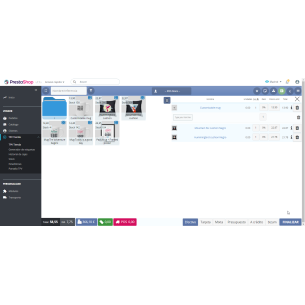
With POS-POS you can add discounts to specific products and / or global discounts to the entire purchase list. It is also possible to search the discount list.
DISCOUNT TO SPECIFIC PRODUCTS:
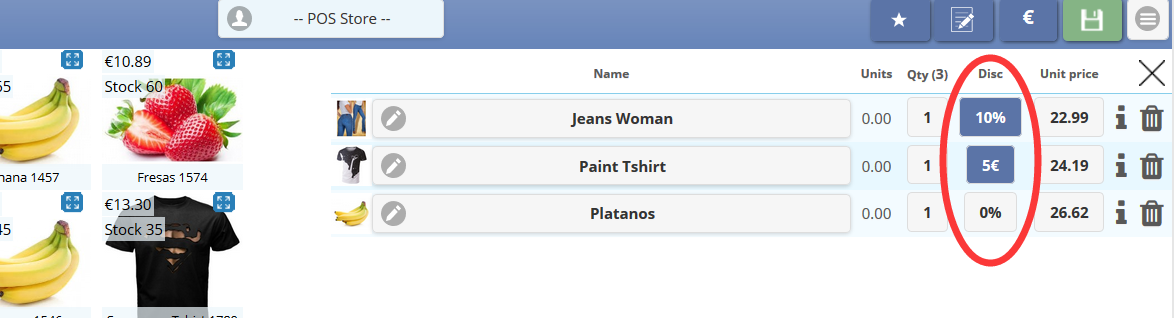
In the product line there is a column called "Disc"
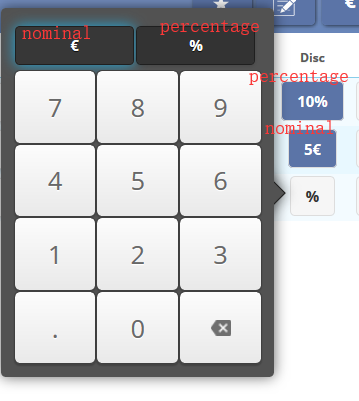
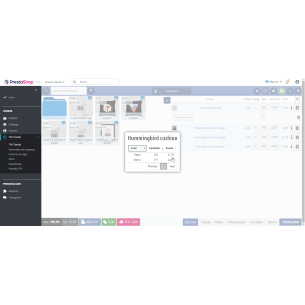
Once you have selected the discount button for that product, you can choose its quantity and between a nominal or percentage discount:
2- GLOBAL DISCOUNTS TO THE ENTIRE LIST OF PRODUCTS:
To discount the entire list of products, press the label icon on the bottom left.
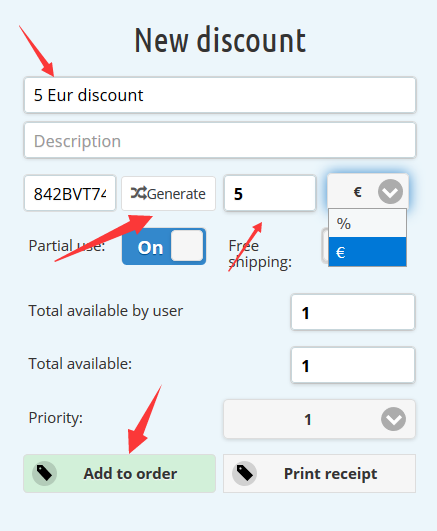
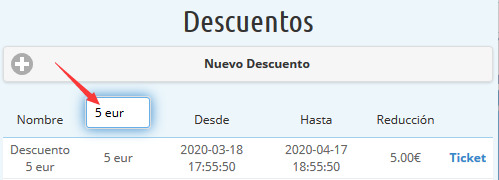
Subsequently, a new discount is pressed and the name of the discount, the promotion code and the amount to be discounted are added.
These discounts can also be nominal or percentage.
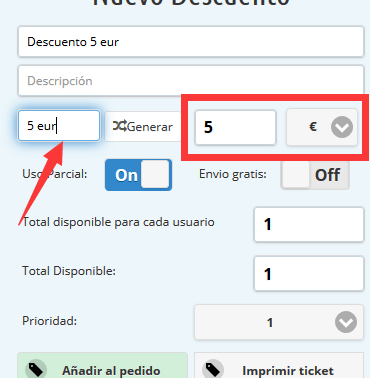
Tip: It is also possible to choose a discount previously used from the discount list. This is done by manually creating a code by generating a discount and then writing that code name in the discount list.
 Cookie preferences